Guide
As you may have noticed from all the examples, the names of widgets and elements are always wrapped in square brackets. This is my standard setting created to emphasize the names and make the report easier to read. However, this setting can be very easily changed or disabled.
For example, let’s replace the square brackets with angle brackets, like in XML tags. To do this, open the allurium.properties file, which by default is located in src/main/resources, and find the following parameters:
highlighter.start=[
highlighter.end=]
Then replace them with:
highlighter.start=<
highlighter.end=>
After that, run any test and you will see in the report that the element names are now wrapped in angle brackets, as shown in the image below:
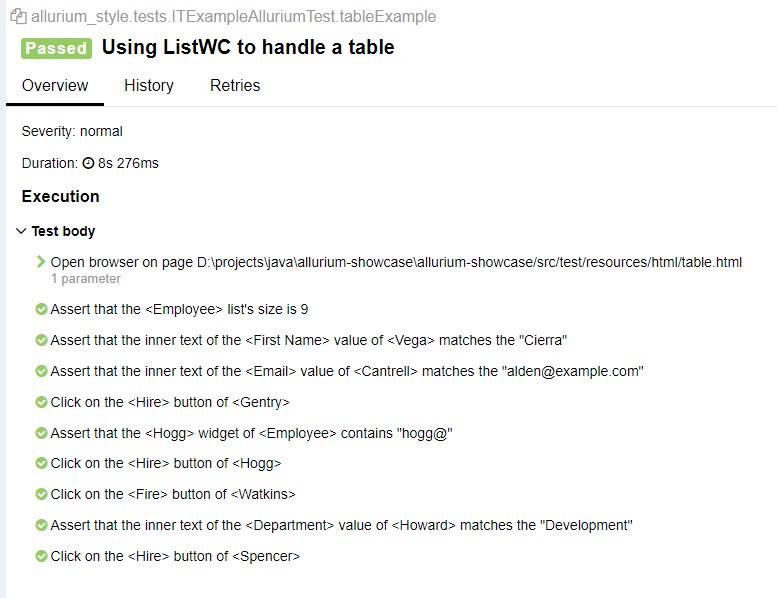
Thus, you can very easily change the formatting of names in the report via configuration.